Teach It, Verify It, Improve It: Turn a Written CTE Unit Into Reliable Classroom Practice
An AI-generated lesson is a strong first draft, and the teacher still decides what reaches students. In Session 3 of the Vibe Design Academy, Dr. Matt Rhoads, Ed.D., shows CTE teachers how to localize a unit to nearby industries, sequence I do, we do, you do so supports come off at the right time, and verify every generated lesson in Curriculum Genie with four questions and a simple record.
Session 3, Teach It, Verify It and Improve It, closes the free Vibe Design Academy. Session 1 turned a CTE standard into a competency statement, and Session 2 built a performance task, a rubric and a ten-lesson unit. This session works on what happens next: making that unit fit your community, your lab and your students before you teach it. CTE teachers joined from business and marketing, cybersecurity, welding, agriculture, health science and college and career programs.
Who is Dr. Matt Rhoads?
Matthew Rhoads, Ed.D., is a supervisor and lecturer in San Diego State University's College of Education and a doctoral dissertation chair. He is the author of ten books on instruction, educational technology, coaching and leadership, including Instruction Without Boundaries and Co-Teaching Evolved. He supports CTE teachers across a number of schools in North San Diego County, consults with teachers nationally on curriculum and course design, and leads all three sessions of the Vibe Design Academy.
Why should CTE teachers verify AI-generated lessons?
Because the teacher's expertise is what makes a generated lesson accurate, safe and right for the course. Curriculum Genie builds a full unit quickly, so the planning time shifts from writing every page to checking and adapting what was built. Teachers in the session described lesson planning that takes an hour a day, whole Sundays, or a summer for a new course. Dr. Rhoads' point: spend that time where your industry knowledge matters most.
The goal for the session was concrete: leave with one revised lesson segment and a record of what still needs checking. The model unit is the one from Session 2, Dailies: Three Shots, One Mood, a grade 12 California CTE unit on standard AV.17.1 in which a junior lighting artist lights one scene across three cameras for an art lead.
How do you localize a CTE unit in Curriculum Genie?
Turn on localized curriculum before you generate, then check every local claim against a source you can open. In a new unit in the Unit Planner, the localized curriculum option takes your state and city or county, and Curriculum Genie uses local industries and employers to shape the unit and its lessons. Dr. Rhoads chose San Diego County, then noted that animation and lighting jobs cluster in Los Angeles, so the service area you pick should match where your students will actually work.
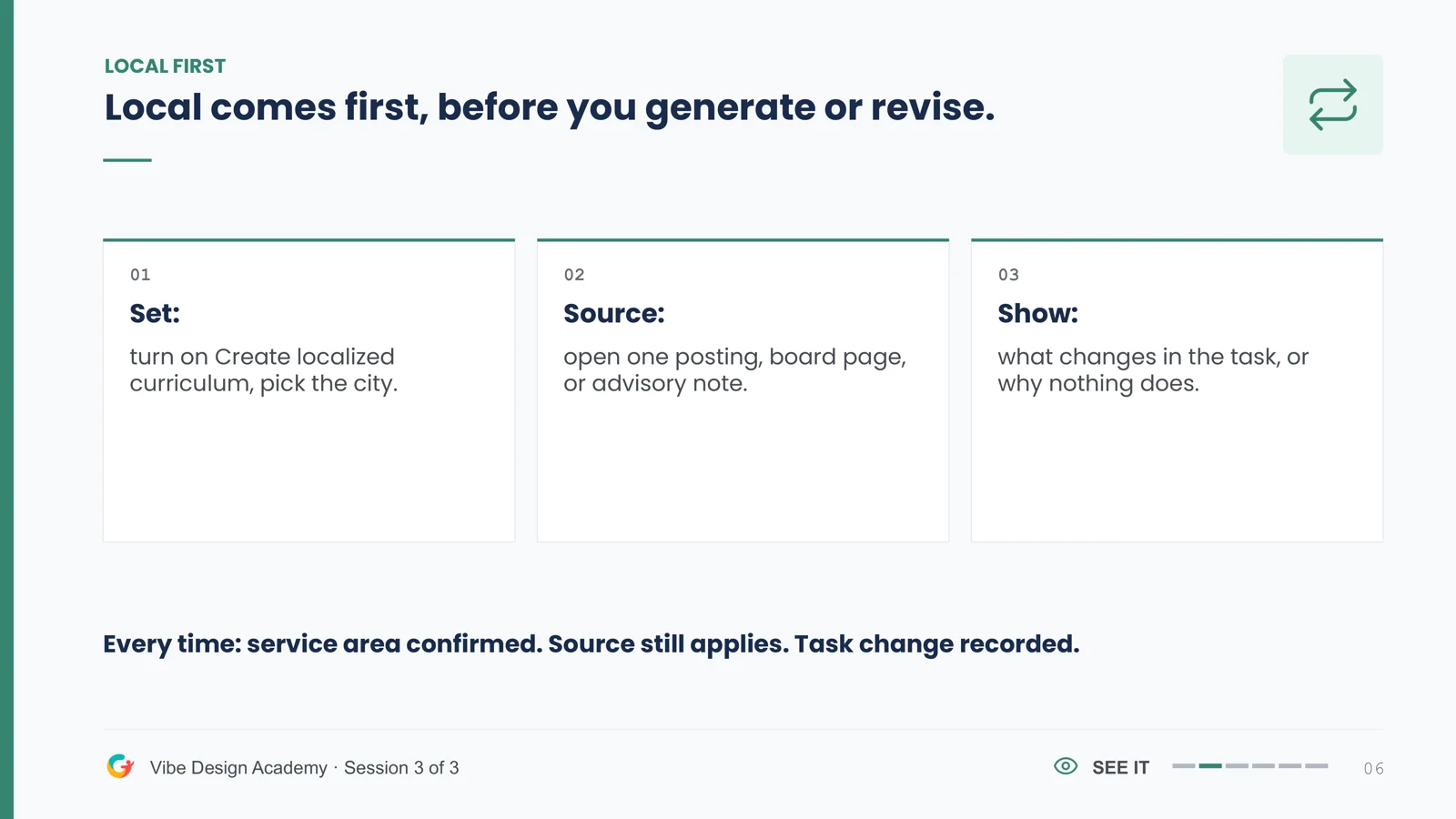
His routine is Set, Source, Show. Set: turn on localized curriculum and pick the place. Source: open one job posting, a licensing or certification board page, or your advisory board's notes. Show: record what changes in the task, or why nothing does. Curriculum Genie lists the sources it drew on, so you can open each one. A citation counts as a source once you have opened it and confirmed it still applies.
When a first draft is close but not local enough, use Enhance Unit. In the session, Dr. Rhoads pasted the language of a real job posting into the enhancement so the performance task matched what that employer expects. One sourced local decision is a good start; across a finished unit, aim for three details: an employer posting, the credential or licensing board, and your advisory board's expectations.
How do you sequence I do, we do, you do in a generated CTE unit?
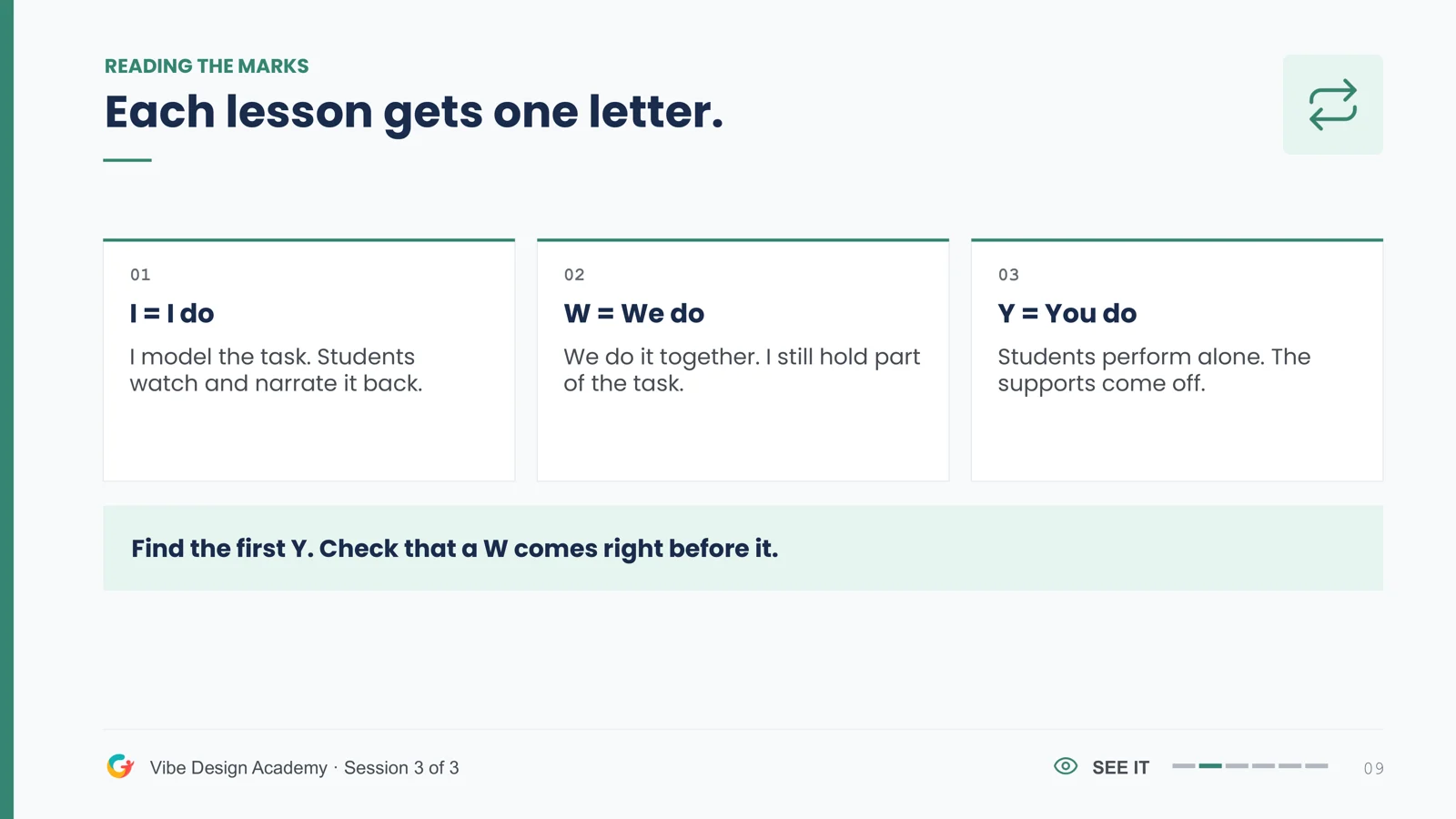
Mark every lesson I, W or Y, then make sure a we-do lesson comes right before the first lesson students do alone. I do means the teacher models and students narrate it back. We do means the work is shared and supports stay on. You do means students perform alone and supports come off. In a lab or shop, this is a safety plan as much as an instructional one.
In the Dailies unit, Curriculum Genie wrote the lesson titles and the teacher set the marks. Lessons 1 and 2 (Light Detective, Light Source Lab) are I do, with a we-do step added to the lab. Lessons 3 through 7 are we do, from Shade the Character to Build the Lighting Recipe. Lesson 8, Match All Three Cameras, is the first solo lesson, and Lesson 10, Notes to Final Delivery, ends the unit with independent work. Two readiness rules came with it: a student who cannot narrate a procedure is not ready to perform it alone, and new equipment and solo work never share a lesson.
What four questions should you ask of every AI-generated lesson?
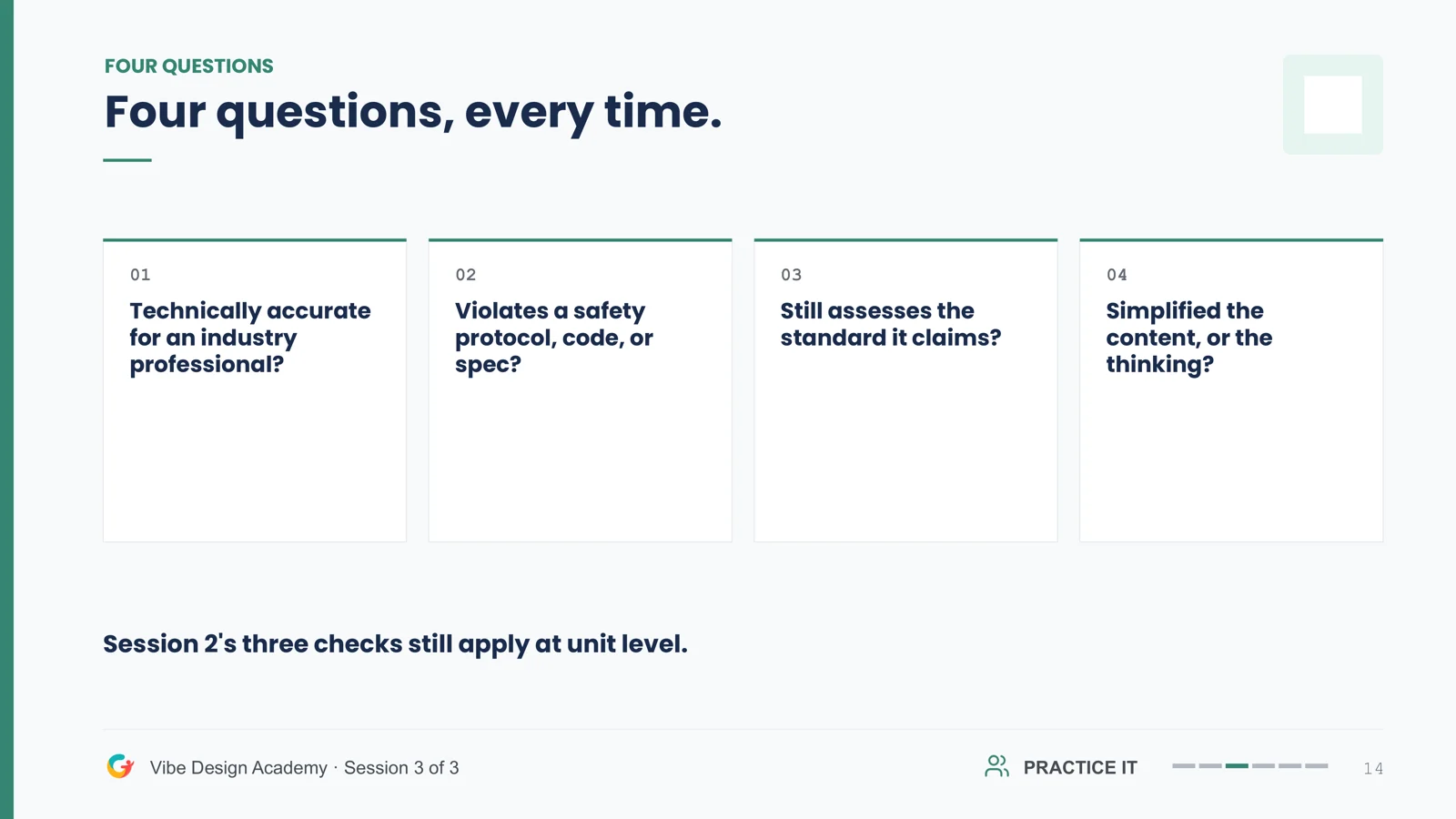
Ask the same four questions every time. Is it technically accurate for an industry professional? Does it respect safety protocols, codes and specs? Does it still assess the standard it claims? And did it simplify the content, or the thinking? Session 2's three unit-level checks still apply on top of these.
The governing document decides. AI can suggest what to check, and the evidence you find settles it, with the teacher as the final decision maker. District policy and industry protocol come first. In a shop, numbers and safety steps are the first things to check, because that is where a generated lesson most needs an expert's eye.
How do you revise a generated lesson in Curriculum Genie?
Start with the lesson's standard, objectives and implementation steps, because they drive every activity and template below them. If they are right, the rest of the lesson usually follows. If they are not, fix them first. You can edit any part of a lesson by hand and save it, or use Enhance to describe the change, add your sources, and let Curriculum Genie revise the lesson or the whole unit.
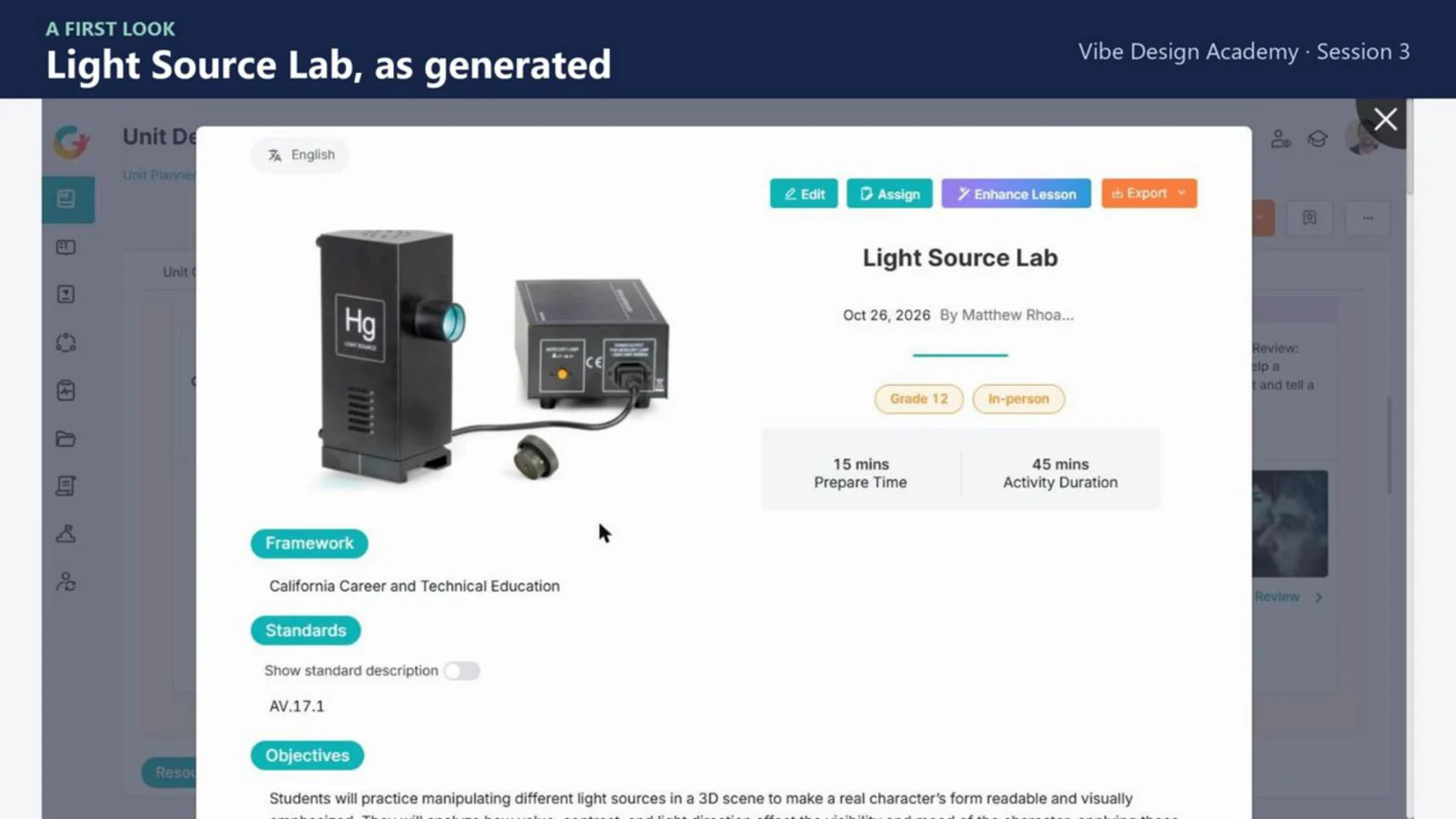
In the session, participants practiced on the generated Light Source Lab lesson and made a call on four items: the lab equipment named in the header, the lighting terms in the steps, the sequence (a demo in step 2 and independent work in step 5, with no guided step between them, so a we-do step was added), and the three cited resources. Each call is keep, revise or investigate, with the evidence behind it. Before the lab runs, confirm the equipment you actually have, so the lesson matches your room.
What is a verification record, and who owns it?
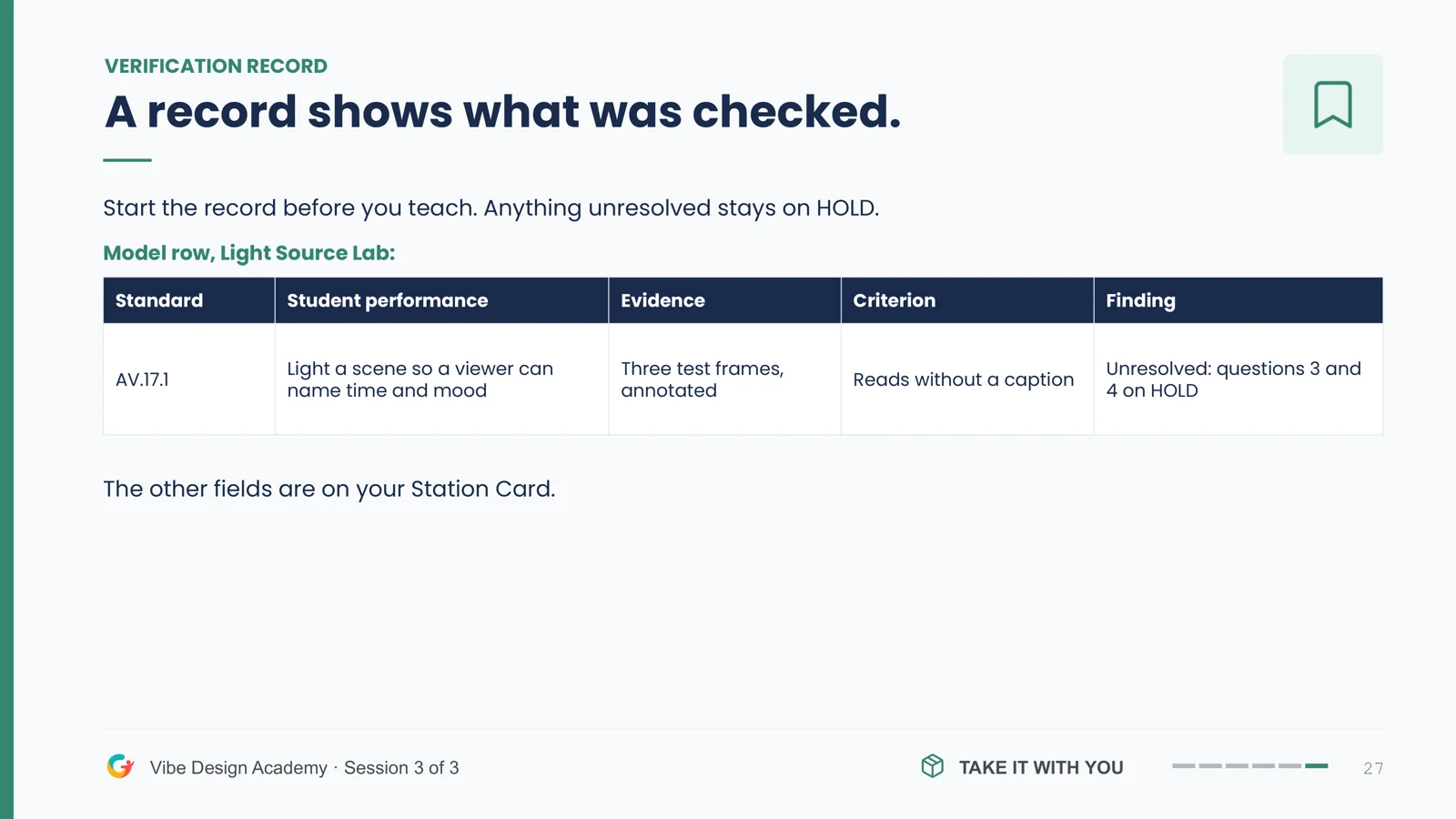
A verification record shows what was checked before a lesson is taught. Each row names the standard, the student performance, the evidence, the criterion and the finding, and anything unresolved stays on HOLD until it is checked. The model row for Light Source Lab: standard AV.17.1, students light a scene so a viewer can name the time and mood, evidence is three annotated test frames, the criterion is that it reads without a caption, and two of the four questions stay on HOLD.
Leaders standardize the record and teachers adapt the lesson. Dr. Rhoads suggested that leaders set one shared record template, one owner per pathway and a review date for the source bank, while teachers own the examples, sequence and instruction. Districts set approved use, data rules and AI policy. Completed records document the review; they do not by themselves establish instructional quality, so compare original and revised lessons over time.
Where can I view the slides from this CTE webinar?
Click through Dr. Rhoads' full Session 3 deck below, from the Set, Source, Show routine and the I do, we do, you do lesson marks to the four questions, the Light Source Lab check and the verification record. Use the arrows to move between slides, or open it full screen.
What is Station Card 03, and how do you use it?
Station Card 03, Make Your Unit Work in a Real Classroom, puts the session on one page. The full version has six steps: map demonstration to guided practice to independence, add the routines your lab or shop needs, build in access supports and differentiation, write checks for understanding with planned responses, verify the technical content and safety, and set a simple plan to review and improve the unit. The 10-minute version is two checks before you teach anything generated: the numbers and the safety steps.
Download Station Card 03 (free PDF)

New to the series? Start with Session 1, Turn One CTE Standard Into Career-Ready Performance, then Session 2, Build a Career-Ready CTE Unit You Can Actually Teach.
Your redemption code is on its way. It can take a minute or two, so check your spam or promotions folder if you don't see it.
Open Curriculum GenieBack to the webinarYour redemption code is on its way. It can take a minute or two, so check your spam or promotions folder if you don't see it.
Open Curriculum GenieFrequently Asked Questions
Because the teacher's industry expertise is what makes a generated lesson accurate, safe and right for the course. Curriculum Genie builds a full unit quickly, so planning time shifts from writing every page to checking and adapting what was built, and the teacher stays the final decision maker on what reaches students.
Turn on the localized curriculum option in a new unit and choose your state and city or county, so the unit draws on local industries and employers. Then use Set, Source, Show: open one job posting, licensing board page or advisory note that supports each local claim, and record what changes in the task. Enhance Unit can add a real job posting's language to the unit.
Is it technically accurate for an industry professional? Does it respect safety protocols, codes and specs? Does it still assess the standard it claims? Did it simplify the content, or the thinking? District policy and industry protocol decide when the evidence conflicts.
I do: the teacher models and students narrate it back. We do: the work is shared and supports stay on. You do: students perform alone and supports come off. Mark each lesson I, W or Y and make sure a we-do lesson comes right before the first solo lesson, and never introduce new equipment in a solo lesson.
A short record of what was checked before a lesson is taught. Each row names the standard, the student performance, the evidence, the criterion and the finding, and anything unresolved stays on HOLD. Leaders standardize the template; teachers adapt the lessons.
More Webinars
California's New TK Law: Understanding the Definition of Developmentally Appropriate Curriculum and What It Means for Practice
Build the Curriculum: Turn a Career-Ready Outcome Into a CTE Unit You Can Teach
From Portrait to Practice: Building a Community-Owned Assessment System That Lasts
When Children See Themselves, They Show Up: Culturally Responsive and Multilingual Learning in PreK & TK
NY Inspires in Practice: Embed the Portrait of a Graduate in the Units You Already Teach
Unpacking CTE Standards: Turn One Standard Into Career-Ready Performance
Applying the Pyramid Model: Self-Regulation and Classroom Management Strategies for PreK & TK
Portrait of a Graduate Implementation: From Poster to Daily Practice
AI Literacy for K–12 Teachers: A Practical, Teacher-Owned Workflow
A Teacher-Owned K–12 AI Literacy Program For District Implementation
AI-Enabled Student Co-Creation for Standards-Aligned K–12 Learning
Embedding a Portrait of a Graduate into Daily Curriculum Practice
Personalized and Localized Learning: A “Just For Me” Planning Workflow (K–12)
AI Lesson Planning for UDL-Aligned, Student-Centered Learning (K–12)
AI Lesson Planning to Increase Student Engagement (Four C’s / PoG) for K–12
An AI Curriculum Agent for Standards-Aligned Unit and Lesson Planning
Organizing Curriculum Priorities for School Districts
Generate and verify your first CTE unit, free
Localize a unit to the industries near you in Curriculum Genie, then check each lesson before you teach it. Your first four units are free.