AI Lesson Planning for UDL-Aligned, Student-Centered Learning (K–12)
Executive Summary
Designing lessons for real classrooms is increasingly complex: student needs vary, time is limited, and one-size-fits-all instruction often creates barriers. This page introduces a UDL-aligned, student-centered lesson planning approach supported by AI—showing how teachers can quickly generate editable unit plans and daily lessons, then refine intentionally for access and student agency. You’ll see how Curriculum Genie turns broad student interests into structured, standards-aligned plans that are easy to share, review, and adapt—helping teachers focus less on logistics and more on how students reach the learning goal.
K–12 curriculum design is getting harder because real classrooms vary, time is limited, and one-size-fits-all lessons often create barriers. Curriculum Genie supports that reality by helping educators generate and customize unit plans and daily lessons from authentic student interests, while keeping goals, options, and standards alignment visible.
It also helps reclaim UDL from being treated as a vague label or reduced to better worksheets. The real shift is redesigning learning upfront so fewer students need “special access” to reach the goal—and more students can make meaningful choices that help them meet it. In a modern planning workflow, Curriculum Genie enables teachers to create or adapt lesson plans with AI quickly first, then refine intentionally for access and student agency.
Why Lesson Planning Breaks Down Under Real Classroom Variability
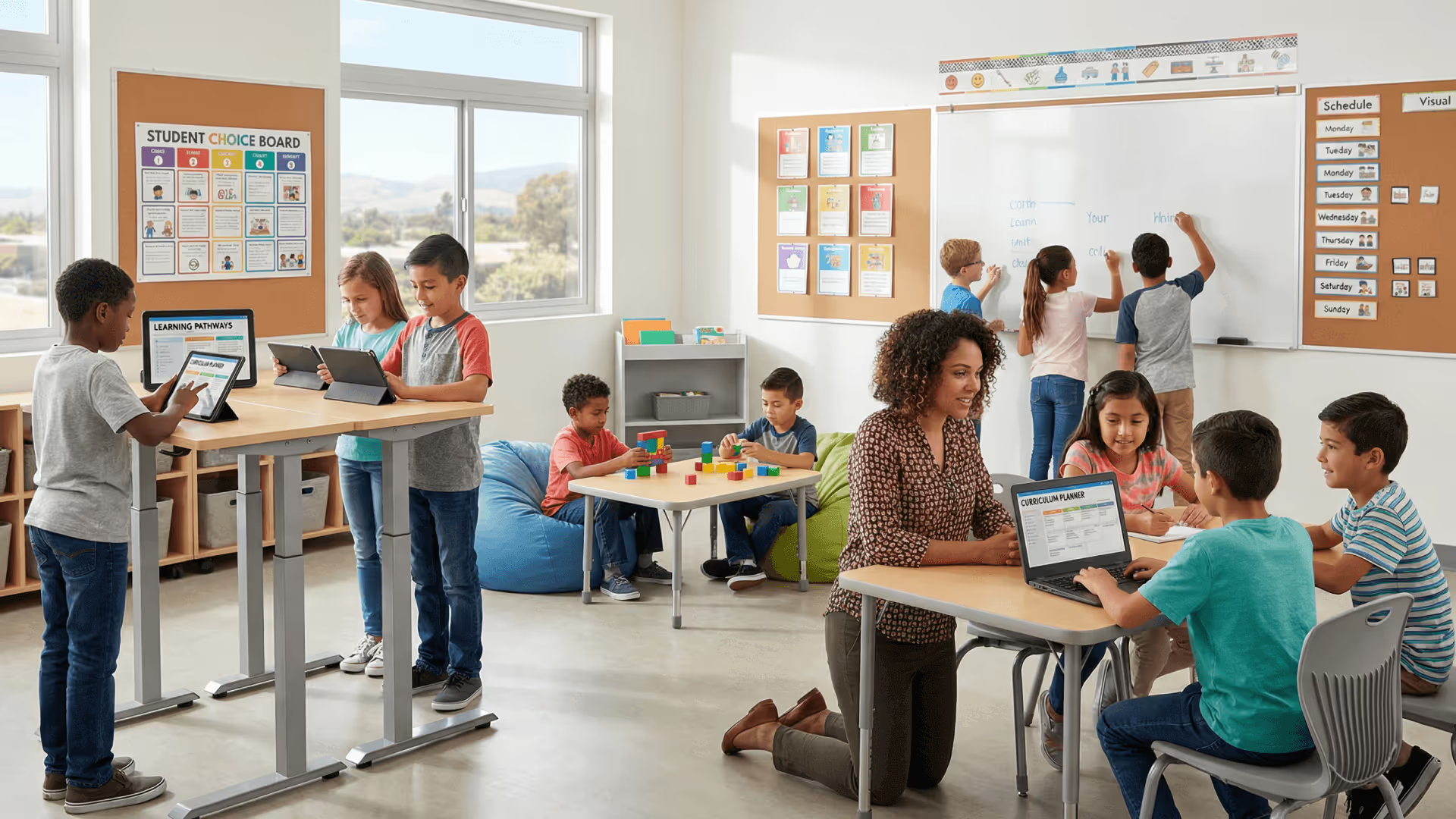
In many classrooms, the default plan still assumes learners will sit still, read the same text, follow the same directions the same way, and show understanding in the same format. When students struggle in that design, it’s easy to slide into deficit framing: the student “can’t read well enough,” “can’t pay attention,” or “isn’t ready to learn today.”
The UDL reframing in this session pushes a different diagnosis: barriers live in the lesson design, not in the student. This perspective is the cornerstone of Universal Design for Learning in curriculum planning. If a lesson requires reading in order to learn content, then reading becomes the gate—even when reading isn’t the actual learning goal. If math lessons require sitting still, then movement becomes a barrier—even when the student can think and respond well while moving.
This distinction matters because it changes what educators do next. Instead of trying to “fix” students, teachers redesign the lesson: change the methods, materials, and environment so more learners can reach the same goal. But redesign takes time—and time is the scarcest resource in schools.
Where Curriculum Genie Fits in the Lesson Design Workflow
The planning workflow below is demonstrated using Curriculum Genie, but the instructional design moves—goal clarity, barrier anticipation, and intentional options—apply regardless of platform.
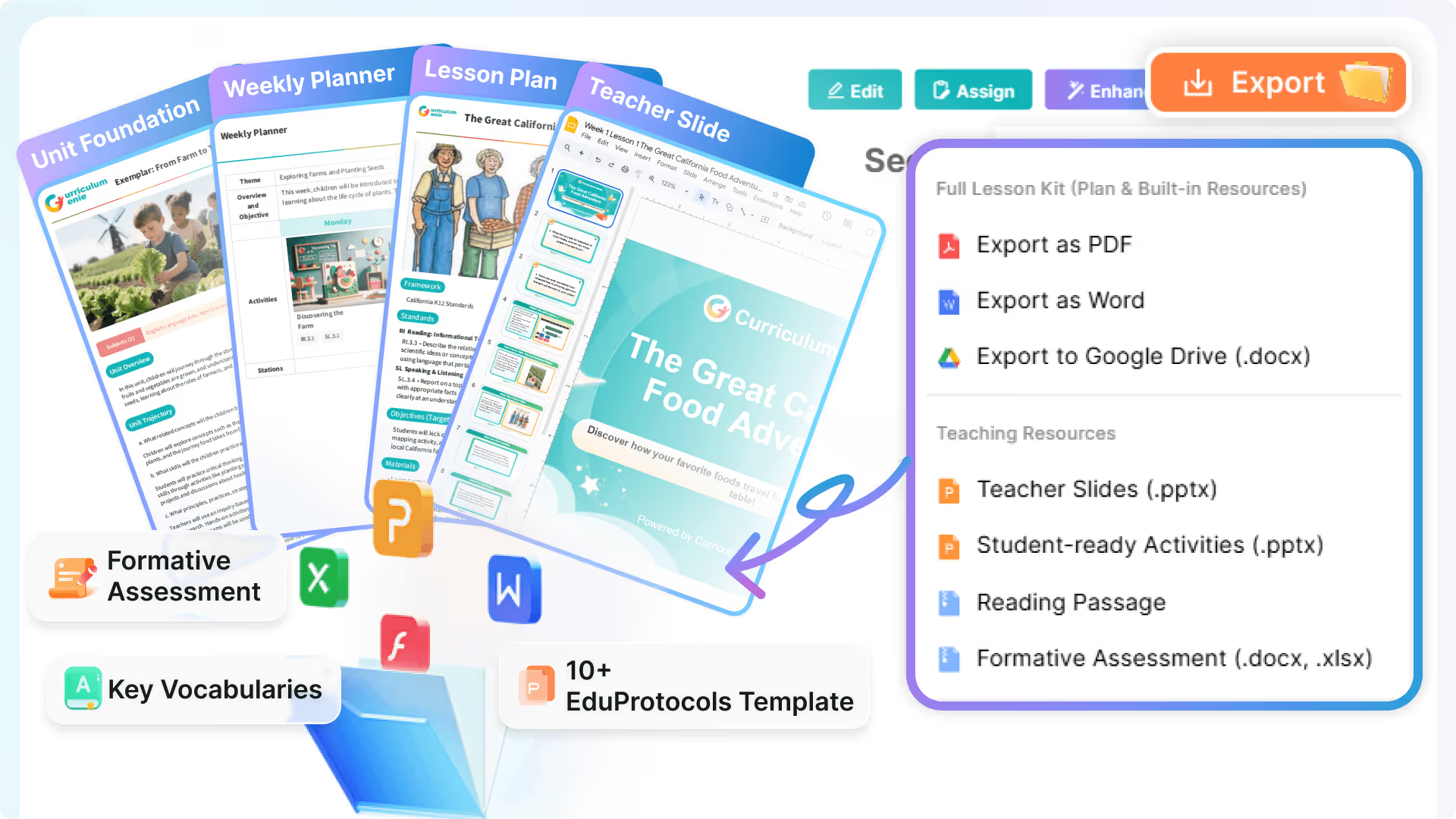
Curriculum Genie functions as an AI Curriculum Generator that supports AI-Powered Lesson Planning from the earliest stage: capturing a topic or theme, turning it into a structured plan, and generating classroom-ready materials that educators can edit. In the session, it’s used to build a week-long unit in real time—starting from student ideas—then producing a plan, lesson sequence, slides, and assignments that can be shared via Google Drive.
That matters for both instruction and systems. Teachers get planning momentum during the contract day. Curriculum teams and school leaders get a clear, reviewable plan they can discuss (the session describes it as a rubric-like overview a teacher could send to a principal as “here’s what we’re doing this week”). Districts get a shareable folder structure that can travel across schools and still remain editable.
Designing for Access and Agency Without Turning UDL Into a Checklist
A key clarification in the conversation is that UDL isn’t about doing everything at once. The UDL guidelines can be thought of as design considerations—like anticipating ramps, railings, lighting, and visual cues in architecture—but you don’t “add all features” for every lesson. You identify likely barriers to the goal, then design options where they matter most, building skill over time.
Curriculum Genie supports that kind of Instructional Design because it helps teachers start with a goal and quickly generate a coherent sequence, then customize for the barriers they’re seeing in their students. The session’s UDL framing highlights two design outcomes that teachers can use to guide that customization:
Access means removing barriers that prevent students from reaching the curriculum. Sometimes that’s obvious—like needing an alternative to a printed book for a student who is blind. Sometimes it’s less obvious—like when lack of interest becomes a barrier to attention. In practical classroom terms, the conversation points to options in how students engage, where they work (quiet corner, headphones, with peers), how content is represented (audio/visual options, customizable displays like font size and color), and how language is supported (translation tools when English isn’t the goal).
Agency goes one step further: it’s not only that students have options, but that they learn to choose options in service of the goal—and reflect on whether those choices worked. The example discussed is simple: a student chooses to work with friends, has fun, but doesn’t meet the goal. With reflection routines, the student gradually learns what kinds of choices help them succeed.
In the session, agency is connected to practical moves teachers can build into lessons: personal goal-setting within a shared assignment goal, time for reflection, opportunities to connect learning topics to what feels meaningful (e.g., switching a writing topic from butterflies to dinosaurs while keeping the same writing goal), and scaffolds like timelines, action plans, and tools that help students identify barriers and propose solutions.
Curriculum Genie doesn’t replace the teacher decisions behind those moves—but it does reduce the time cost of producing the base plan and materials, so teachers can spend time making the lesson more accessible and more agency-building instead of just getting through planning.
What the Real-Time Unit Build Shows About High-Quality Planning at Speed
The live build in the session begins with a simple prompt: a one-week unit based on vacation ideas. Participants contribute destinations and themes (for example: Egypt and the pyramids, Singapore, Antarctica, Azores, Madeira, and local foods). From that input, Curriculum Genie generates a unit overview first, then expands into daily lessons for the week.
What’s notable is not the topic—it’s the workflow. The tool turns broad interest into a structured Unit Plan, then produces daily lesson details: materials, implementation steps, standards references, and lecture slides (the session notes the slide deck is typically around 14 slides). The output is designed to be edited, not treated as a one-shot product. The session emphasizes that teachers can tweak and customize easily once the plan exists.
Just as important for adoption, the unit can be sent to Google Drive as an organized folder, making it shareable and editable across teams and even across schools. For leaders responsible for Curriculum coherence, that creates a practical path to scale: a strong base plan can be shared widely, then adapted locally without losing structure.
The generated lessons also include elements tied to broader outcomes, such as Portrait of a Graduate (PoG) and 21st Century Skills, which the session notes are often difficult to weave into everyday lessons using traditional teacher guides. Rather than adding a separate “initiative layer,” the tool output embeds Portrait of a Graduate in daily lesson design alongside the lesson plan components teachers already use.
What This Enables for Teachers and Leaders Right Now
- Build a coherent Lesson Plan sequence quickly, then spend planning time on Differentiated Instruction choices and Differentiation Strategies that reduce barriers.
- Use student input to strengthen Student-Centered Learning without losing structure or daily lesson clarity.
- Generate AI Lesson Plans that are editable, shareable, and organized for team use via Google Drive.
- Support consistency and collaboration across classrooms (and potentially across schools) with a repeatable planning workflow.
- Create artifacts that are easier for instructional leaders to review and discuss, including standards references and unit-level goals.
Planning for access and agency doesn’t have to mean rebuilding everything from scratch each week. When teachers can generate the base unit quickly and edit intentionally, UDL-aligned design becomes more realistic under real constraints. Curriculum Genie supports that shift: faster planning, clearer structure, and more time to focus on how students will actually reach the goal.
Frequently Asked Questions
Curriculum Genie can generate a draft Unit Plan and daily lessons quickly, so you’re not starting from a blank page. That frees you to focus your edits on reducing barriers—like adding options for representation, environment, and how students show what they know—instead of spending the whole planning block building basic structure.
You can feed student topic ideas into Curriculum Genie and use its output as a structured starting point for the week. Because the materials are editable, you can keep the shared learning goals while adjusting examples, prompts, or focus areas to better match your students.
It produces a unit overview and suggested daily lessons, and it can generate lecture slides and assignments as part of the plan. It can also export the materials into a Google Drive folder so the resources are organized and ready to edit or share.
Curriculum Genie can generate units from teacher or student input while still producing a coherent sequence educators can adjust to match a pacing guide. Leaders can review the unit-level overview and lesson sequence, then support consistent adoption by sharing the exported Google Drive folder across teams.
Curriculum Genie helps you plan lessons where choice is connected to clear goals, then you can build in reflection prompts and routines so students evaluate whether their choices helped them meet the goal. This supports agency as a skill—choices plus reflection—rather than choice as a reward.
Ready to Transform Your District?
Schedule a Demo with Curriculum Genie to see how Agentic AI can support your curriculum goals.