AI Lesson Planning to Increase Student Engagement (Four C’s / PoG) for K–12
Executive Summary
Designing lessons for real classrooms is increasingly complex: student needs vary, time is limited, and one-size-fits-all instruction often creates barriers. This page introduces a UDL-aligned, student-centered lesson planning approach supported by AI (AI Lesson plans)—showing how teachers can quickly generate editable unit plans and daily lessons, then refine intentionally for access and student agency. You’ll see how Curriculum Genie turns broad student interests into structured, standards-aligned plans that are easy to share, review, and adapt—helping teachers focus less on logistics and more on how students reach the learning goal.
When engagement drops, achievement often follows. Curriculum Genie helps K–12 teachers and instructional leaders shift from traditional, low-engagement assignments to higher-quality, student-centered learning—without adding planning time. The key point: disengagement and boredom are major drivers of learning loss, so schools need a repeatable lesson-design approach where students do the core work of thinking, talking, and creating.
Why Engagement Has Become a Lesson-Design Problem
In many classrooms, the default tools of instruction still look like packets, worksheets, comprehension quizzes, and long-form reports. These formats can be familiar and easy to distribute—but they can also become “commodity tasks” that students tolerate rather than lean into. The conversation highlighted a telling teacher wish: having a dedicated copy-machine operator. It’s funny, but it also points to something real—when the workflow is dominated by producing, copying, and managing paper tasks, the instructional ceiling is often set by logistics, not learning.
The discussion also referenced research-based framing (including effect sizes) to make the point that boredom can be as damaging as absence. Whether you’re a classroom teacher watching attention fade mid-lesson or a district leader reading assessment trends, the implication is the same: lesson design has to prioritize what students are actively doing, not just what teachers are delivering.
Framework: The Four C’s Lens for PoG-Aligned Lesson Quality
Framework first: You can apply the Four C’s lens with or without any tool. The value is a shared, observable definition of lesson quality—so teams can calibrate expectations before they choose a workflow to produce materials.
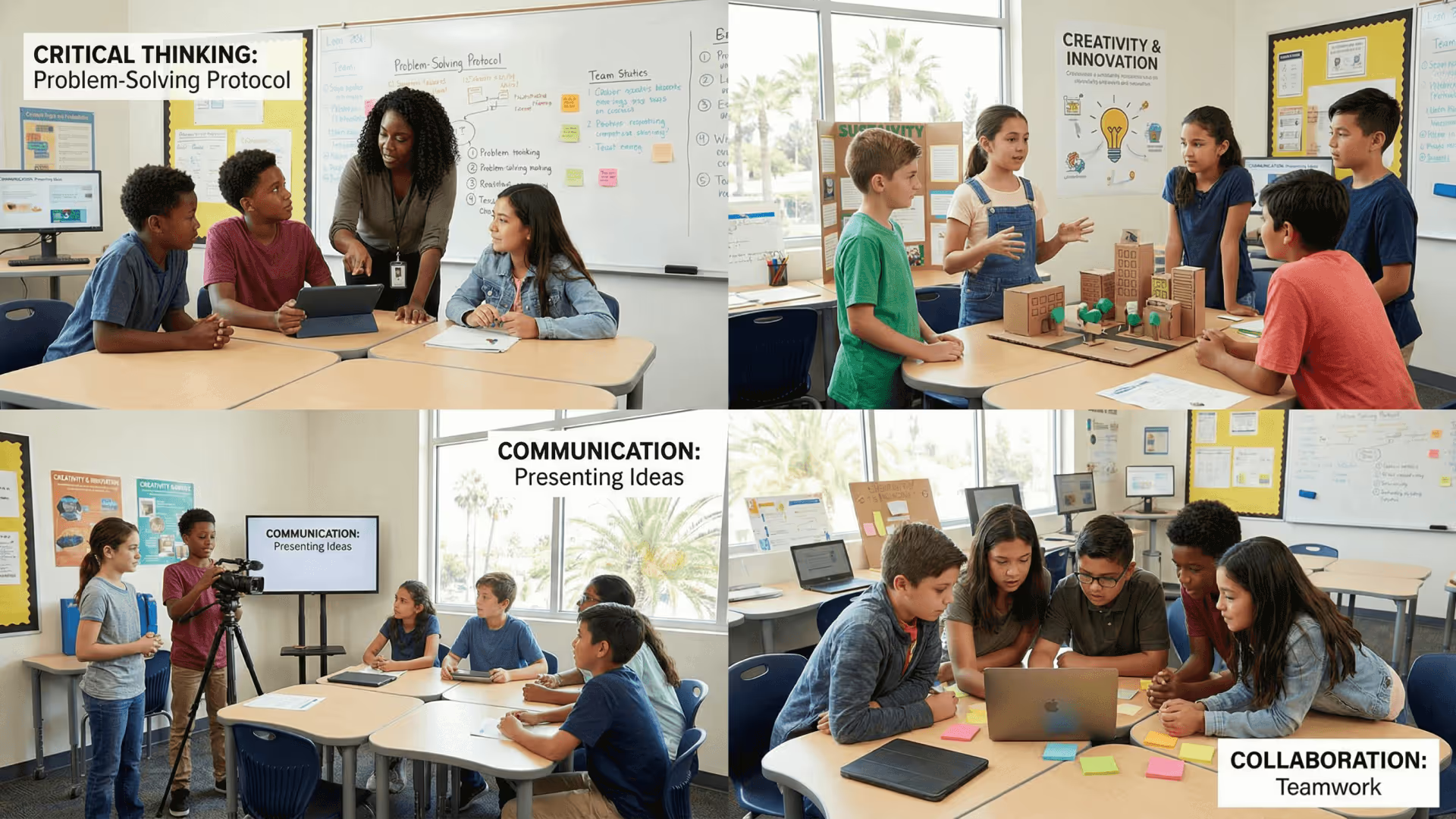
One way the speakers made “engagement” concrete was by using the Four C’s—critical thinking, collaboration, creativity, and communication—as observable evidence of lesson quality. That lens aligns closely with how many systems describe a Portrait of a Graduate (PoG) (also called a learner profile) and broader 21st Century Skills: if students graduate only able to read a short passage and answer a few multiple-choice questions, schools are shortselling them.
What matters operationally is that the Four C’s can be used to calibrate expectations across a staff. The proposed method was intentionally simple: treat each “C” as worth 10 points (40 total) and evaluate a lesson by asking, “Are students doing something creative? Thinking critically? Communicating beyond teacher talk? Working together?” The goal isn’t perfection; it’s avoiding zeros and steadily moving lesson design upward.
That’s where Learning Genie's Curriculum Genie becomes the practical bridge between aspiration and execution. Instead of leaving teachers to reinvent lessons from scratch, Curriculum Genie supports AI Tools for teachers through an AI-Powered Lesson Planning workflow that produces editable planning artifacts teachers can immediately refine—so the Four C’s aren’t just a poster on the wall, but a design constraint built into day-to-day work. AI-powered 4-step PoG implementation model.
From “Classic” Tasks to Higher Four C’s Potential—Without Adding Planning Hours
The conversation ran a staff-meeting-style calibration exercise: compare “classic” versions of common assignments with “challenger” designs that increase Four C’s potential. The specific examples matter because they map directly to what teachers do every week—and they offer concrete replacement patterns that Curriculum Genie can help generate and organize.
Traditional worksheets and packets were rated as low-potential for collaboration and communication in their default form. Reading comprehension quizzes (short passage + questions) were described as easily drifting into silent, individual work—or, at best, “divide and conquer” partnering where students split questions rather than discuss ideas. Classic reports were acknowledged to include some critical thinking, but they often become solo projects with little peer audience and minimal real-time feedback.
The “challenger” alternatives shared three repeatable patterns:
First, Word Up Wednesday reframed vocabulary work as a collaborative creation task (a modified Frayer model). Students contributed different components—definition, compound sentence, images, opposites/non-examples—making the work more open-ended. This structure supports broader participation by allowing students to contribute through their strengths, a practical application of Universal Design for Learning (UDL) and student voice within a digital classroom environment. By providing visuals or non-example thinking, all learners can participate meaningfully in the shared curriculum.
Second, Sketch & Tell replaced a comprehension quiz with visible thinking. Students sketched what they understood from a video, text, or infographic and then explained their drawing to peers. This preserved accountability while shifting comprehension from “answering” to “representing and communicating,” making understanding easier to see and discuss.
Third, Number Mania replaced a multi-week report with a fast, collaborative research-to-product workflow. Students extracted key numbers and facts from an article (such as an overview of the Great Depression), submitted a single number+fact, and then used the shared collection to build a collage of the most meaningful facts—supported by teacher feedback in real time.
These aren’t “extra” activities; they are structural swaps. The underlying idea is to change the process—methodology, procedures, and teacher skill set—because those are the levers schools can actually control.

Implementation: A Repeatable Workflow (Example Using Curriculum Genie)
The workflow below is shown using Curriculum Genie, but the underlying design moves (Four C’s calibration + task transformation) remain the same regardless of platform.
Designing higher-quality tasks is one challenge. Doing it consistently—across days, units, and teams—is another. The discussion’s live build showed how Curriculum Genie can turn this into a practical workflow by generating a complete Unit Plan structure and breaking it into lesson-level outputs that are ready to edit and use.
In the example, a one-week unit was created around Holes, focusing on characters for grade 6. Curriculum Genie generated unit foundations (overview and trajectory), then produced a week theme and five lessons. From there, it generated classroom-ready components that typically take substantial teacher time: demo slide decks, protocols/templates, formative questions, and answer keys—supporting both planning and AI-Powered Assessment needs.
Two implementation details stood out for teachers and leaders. First, the outputs were described as fully editable, which matters because high-quality instruction depends on teacher judgment and local context. Second, the materials were organized into Google Drive folders so a TOSA, coach, or collaborative team can share the work efficiently—reducing duplication and keeping planning coherent across a grade level or department. The discussion also noted that teachers who need Microsoft can download as PPT.
This workflow is ultimately about reclaiming time while raising lesson quality. The speaker explicitly framed the goal as doing planning during class rather than at night—because the only scalable improvement strategy is one teachers can sustain.
What This Means for Teachers and Instructional Leaders Right Now
If you’re trying to improve engagement while protecting teacher capacity, Curriculum Genie supports day-to-day decisions in ways that are immediately actionable:
- Build an editable Standards-Aligned Curriculum arc faster by generating Lesson Plan and Unit Plan foundations that you can refine instead of writing from a blank page.
- Replace low-engagement “classic” tasks with protocol-driven structures that increase opportunities for critical thinking, collaboration, creativity, and communication.
- Make student evidence easier to observe by designing for visible thinking (e.g., sketching, shared products, group roles) rather than silent completion.
- Reduce friction for team planning by outputting materials into shareable Google Drive folders, enabling consistent implementation across classrooms.
- Support broader participation using structures aligned with Universal Design for Learning (UDL), where students can contribute through multiple modalities (visuals, examples, non-examples, talk).
The larger point is not that any single worksheet, quiz, or report is “bad.” It’s that schools need a sustainable way to raise the ceiling of everyday tasks—so engagement isn’t left to chance, and quality doesn’t depend on who had time to plan the night before.
Frequently Asked Questions
Curriculum Genie generates editable lesson materials (including slides and student-ready activities) so you can swap “classic” tasks for more collaborative and creative structures like Word Up Wednesday-style vocabulary work. Because the outputs are organized and ready to refine, you keep a clear instructional sequence while changing what students do during learning time.
Yes. Curriculum Genie can generate a one-week set of lessons (as shown in the Holes example) and can also plan longer timeframes, giving you a flexible AI Lesson Plans workflow for different planning horizons.
It generates key planning artifacts that typically take hours—unit foundations, lesson drafts, demo slides, formative questions, and answer keys—supporting both AI-Powered Lesson Planning and AI-Powered Assessment needs. The materials are designed to be edited rather than treated as final.
Curriculum Genie outputs files into organized Google Drive folders, making it easier to share planning artifacts across collaborative teams and coaching cycles. That structure helps leaders distribute common templates and reduce duplicated effort while keeping lessons coherent.
Yes. Curriculum Genie supports a workflow where slide materials can be downloaded as PPT, so teams that rely on PowerPoint can still use and adapt the generated resources.
Ready to Transform Your District?
Schedule a Demo with Curriculum Genie to see how Agentic AI can support your curriculum goals.